IPTV experience completely reimagined
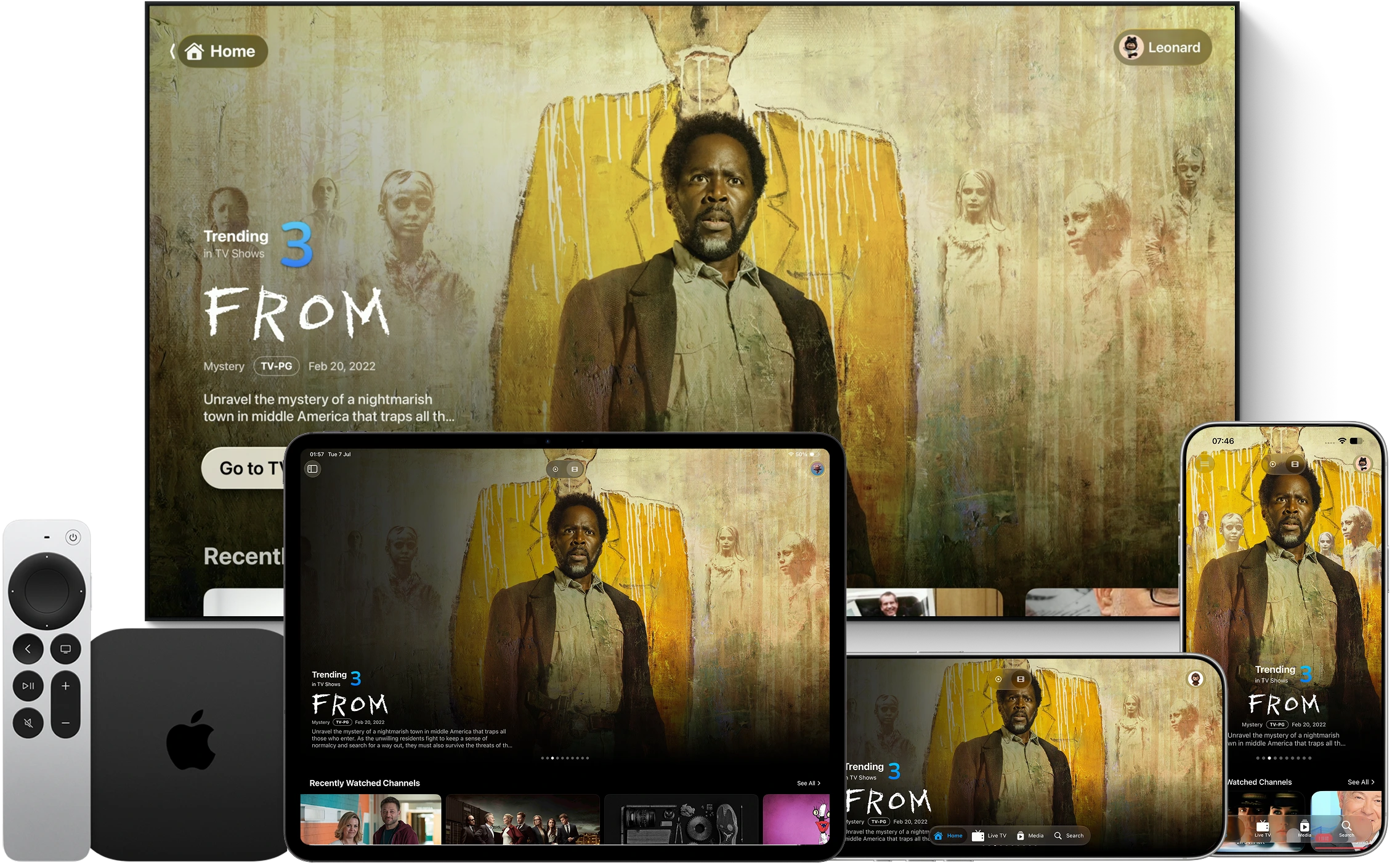
Your media experience has never looked and felt this good before. A design so beautiful you’ll never want to look away.
Bring what you already have
One Player.
Every source.
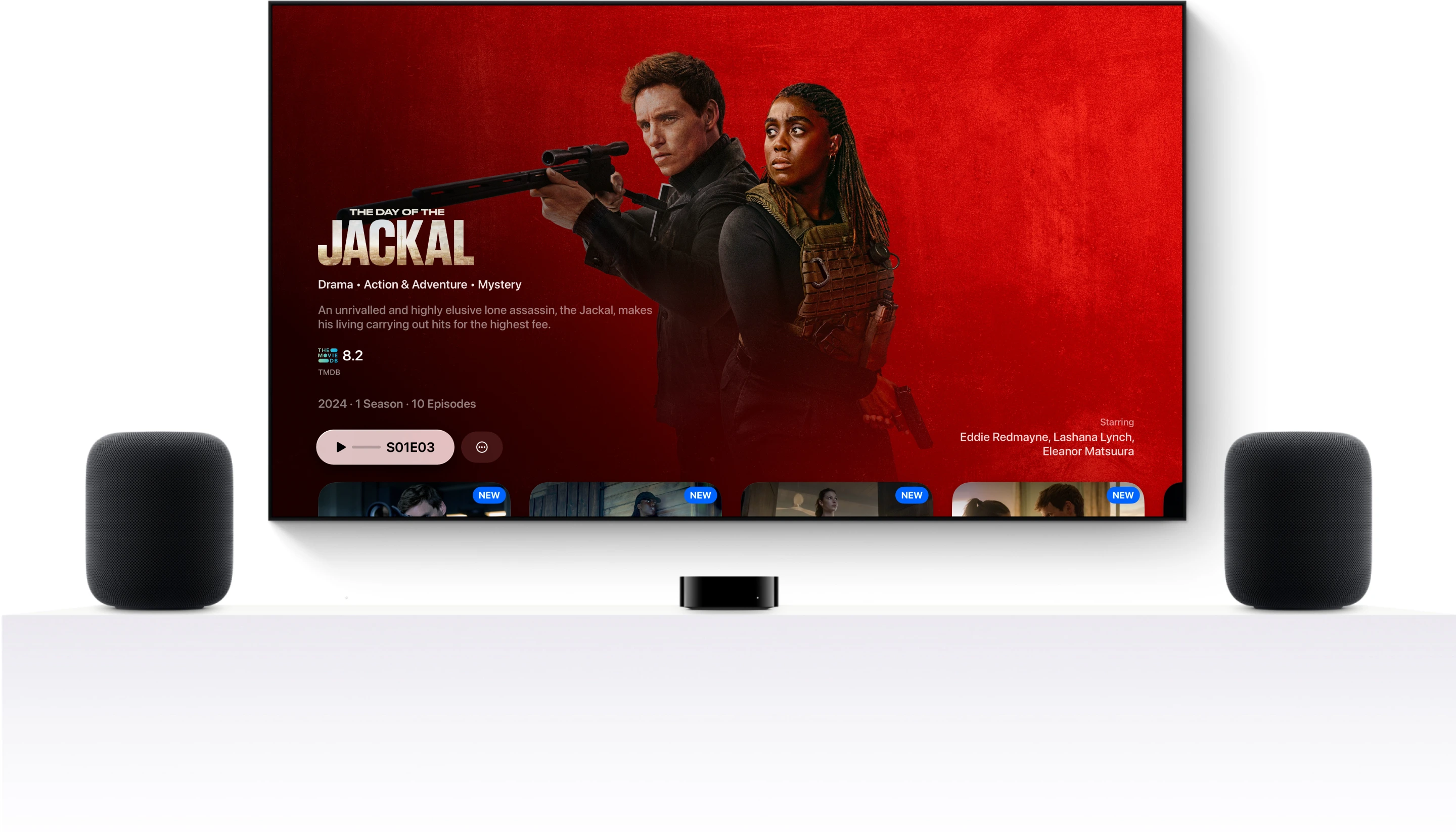
Point AnyTV at your M3U, Xtream, Plex, Jellyfin or network share and it becomes a real library, live TV with a full guide, movie posters, cast and episodes, downloads for the road, in sync across every screen.
- Plex
- Jellyfin
- Network share
- Server rack and NAS
- M3U playlists
- Trakt
Live TV
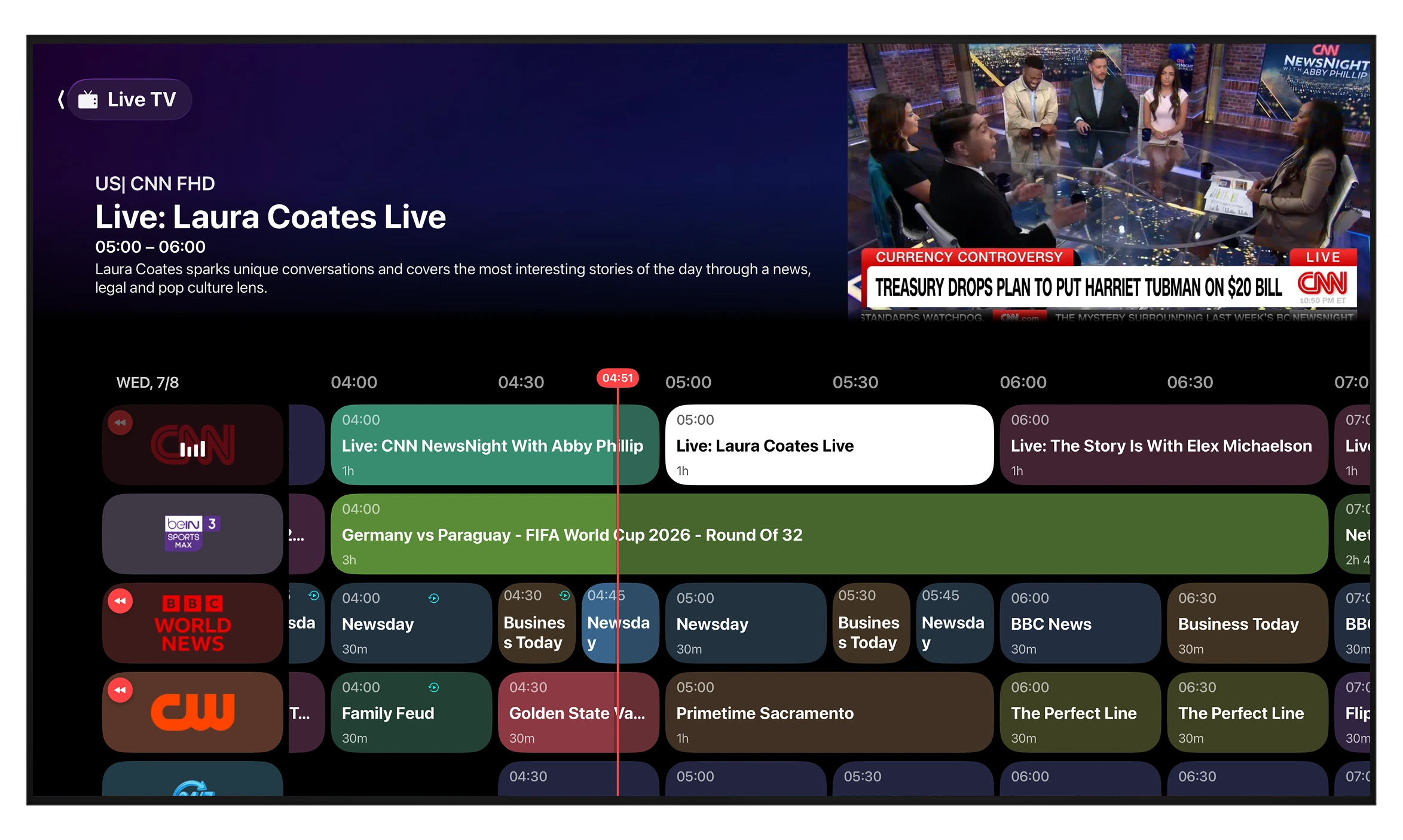
A real guide,
not a channel list.
Browse a full program guide with what's on now and next, jump straight into catch-up, and surf by channel number the way you actually watch TV.
Movies & Series
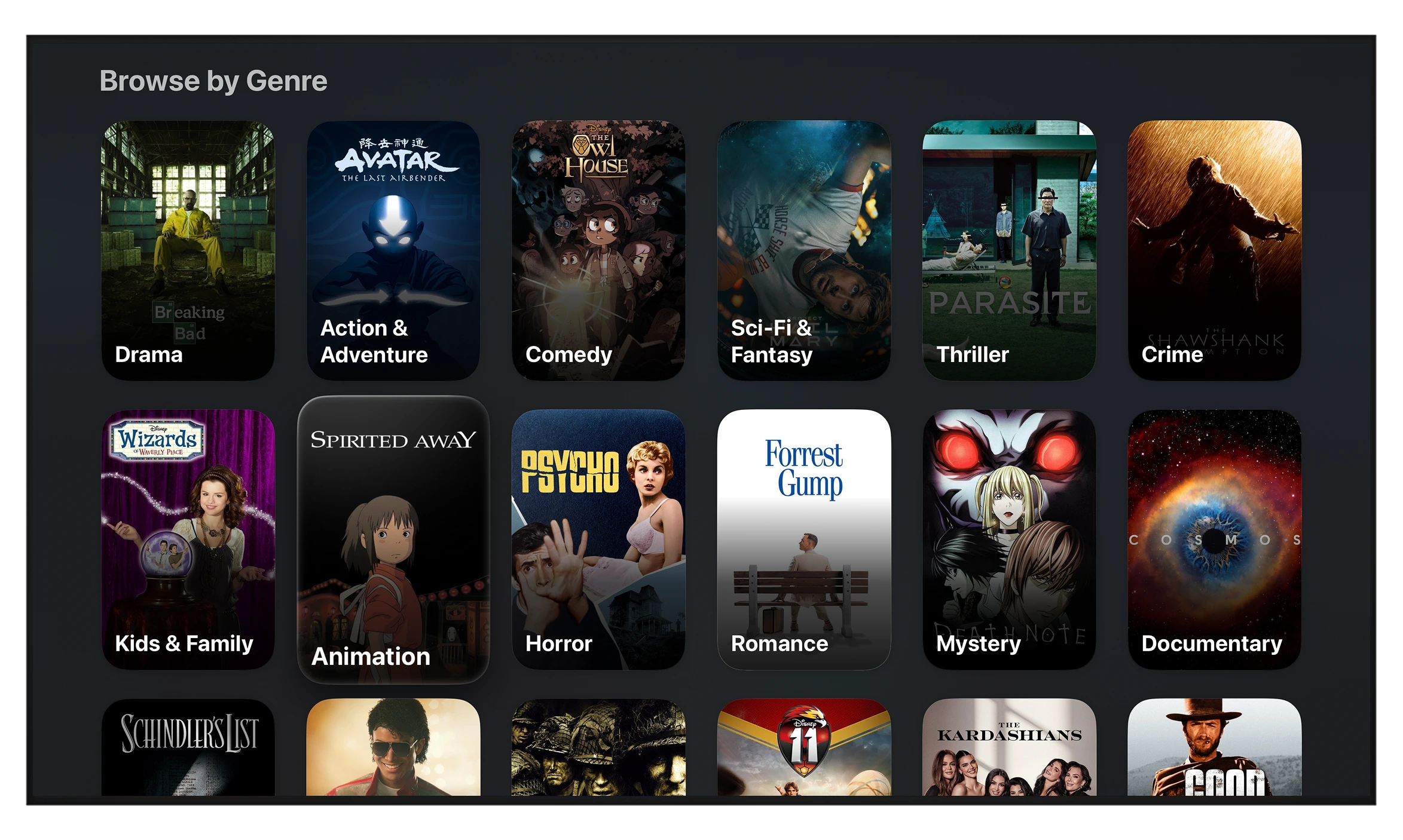
Your VOD matched for any mode and genres.
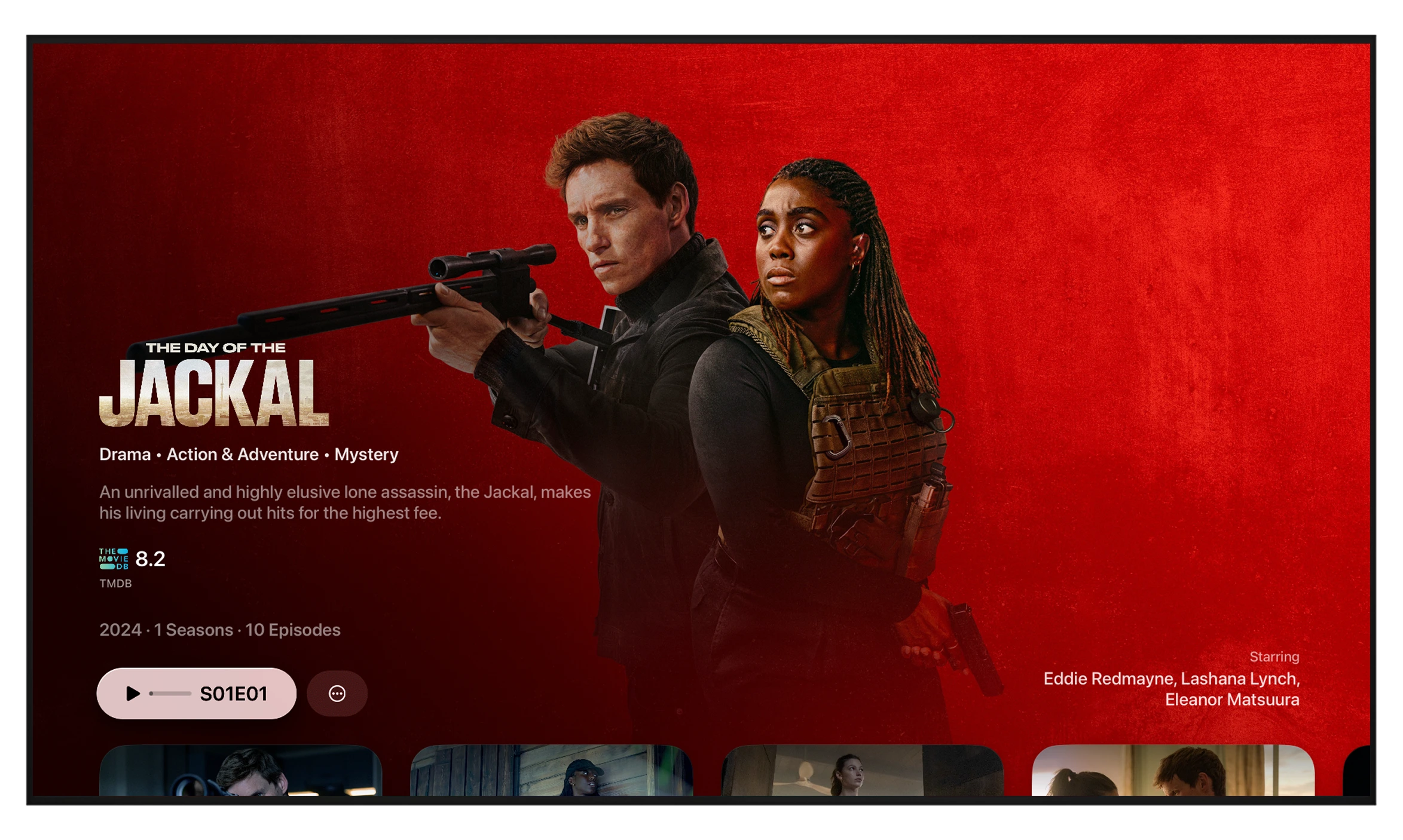
AnyTV matches your movies and shows to TMDB posters, backdrops, cast, ratings and full episode guides so a folder of files becomes a library you actually want to browse.
Downloads & Sync
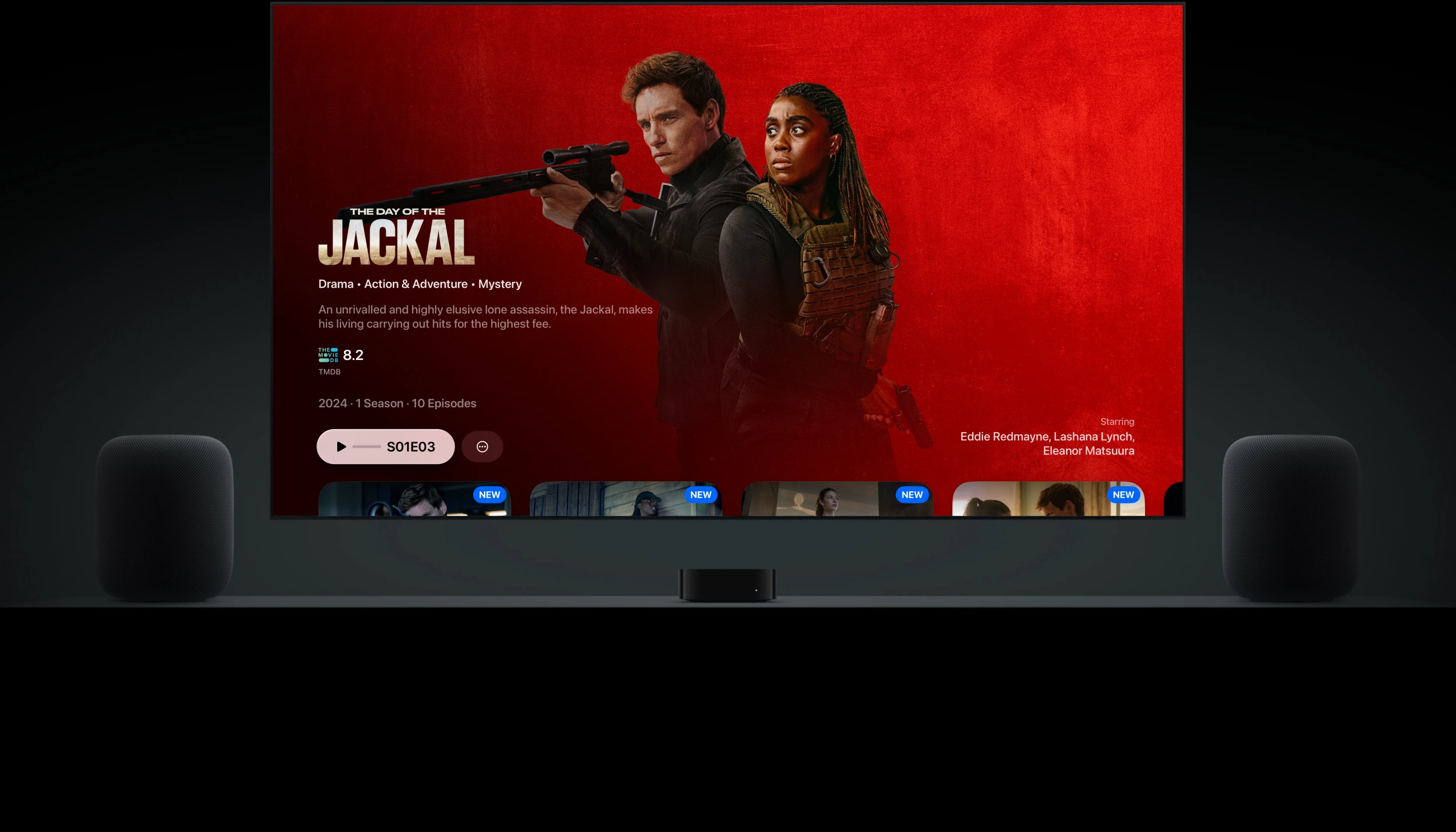
Start on iPhone.
Finish on Apple TV.
Download episodes to watch on a plane, then pick up on the big screen at home. Favourites, profiles and watch progress stay in sync across every device automatically.
For the whole home
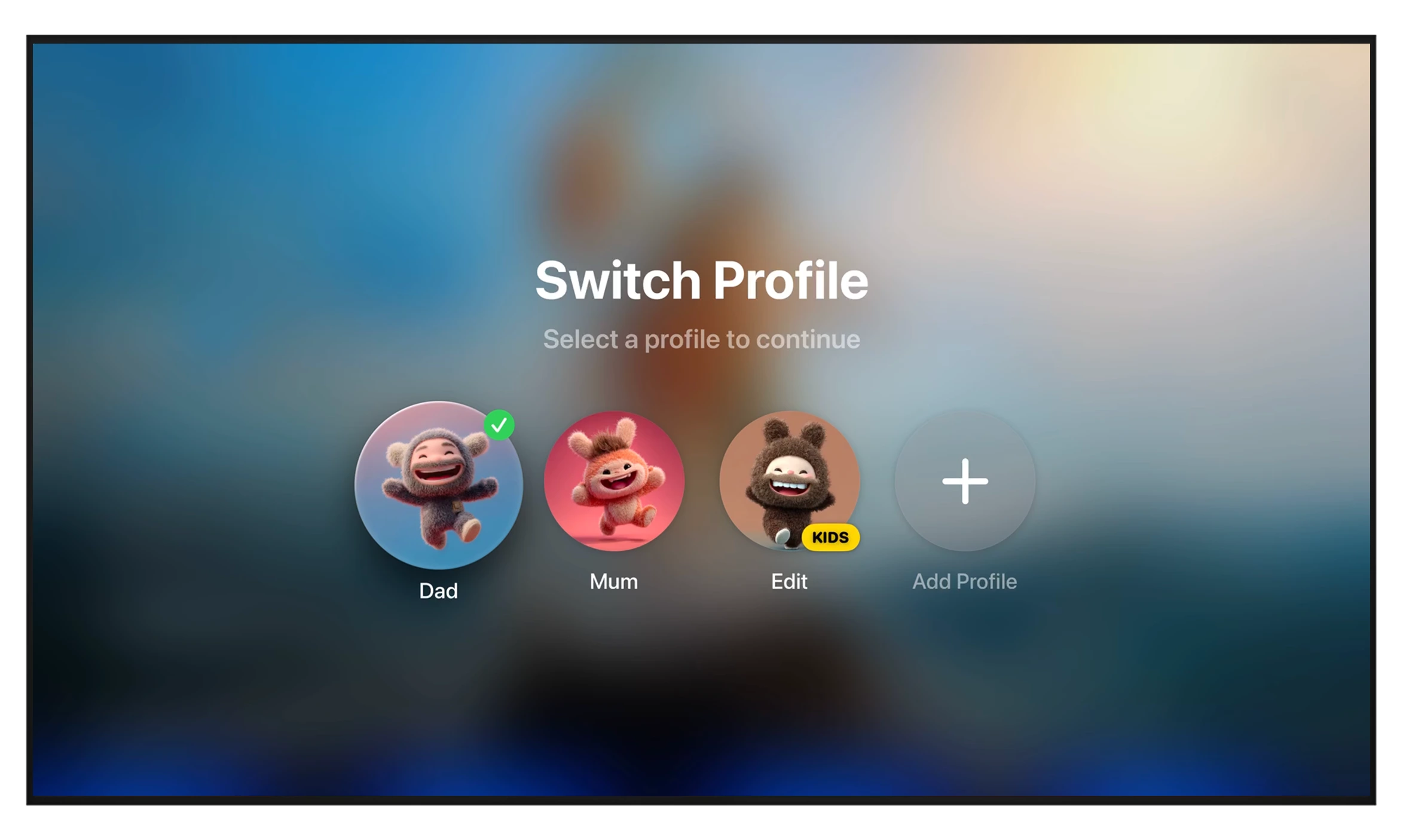
Everyone gets their own AnyTV.
Separate profiles keep watch history and favorites personal, and parental controls keep the kids' profile clean. No ads, ever, and your playlists never leave your control.
Get started in under a minute
Three steps to your library.
-
Step 1
Add your
sourceNo accounts to create, no content to buy from us. Point AnyTV at what you already have.
-
Step 2
AnyTV
organises itChannels, movies and series are sorted and enriched with guide data, posters and episodes.
-
Step 3
Watch
anywhereOpen it on iPhone, iPad, Android or Apple TV and keep watching in sync, right where you left off.
Made for everyone
One app across your devices.
No accounts to create, no content to buy from us. Point AnyTV at what you already have.
- Apple TV
- iPhone
- Android Phone
- Google TV
- Mac
- Apple Vision Pro
- AirPlay
- iPad
From the App Store
What people actually say.
Unedited reviews left on the App Store. We pick which to show; we do not write them.
-
★★★★★
What an impressive app
Congratulation for all the work you have done since one year!!!!! Best app at the moment please continue like this !!!
France · version 4.8 -
★★★★★
Great Job
Great job 👍 I love it. I've been looking for an app like this for a long time, and now I'm happy to have found one where I can also communicate so much with the developers. Bugs has been corrected immediately and wishes are added to the wish list. ♥️
Germany · version 4.8 -
★★★★★
Best IPTV app I used so far.
This app delivers a fantastic streaming experience, featuring a wide range of channels and an intuitive interface. The video quality is exceptional, and it operates seamlessly. It's highly recommended for IPTV fans!
Netherlands · version 1.1.6 -
★★★★★
Best IPTV app period
This is by far the best IPTV app l've used in a long time. The user interface is sleek, clean, and feels as seamless as if Apple designed it themselves. If the developers add more features, like the ability to download content, l'd be a lifelong user!
Netherlands · version 1.1.6 -
★★★★★
Problem solution
My problem with the app was solved immediately. With the new updates, it's almost perfect, truly amazing.
Turkey · version 5.8 -
★★★★★
Best IPTV APP
This app provides an excellent streaming experience with a vast selection of channels and a user-friendly interface. The video quality is superb, and the app runs smoothly without any hiccups. Highly recommended for IPTV enthusiasts!
Turkey · version 1.0.9 -
★★★★★
Ótimo app
Interface linda e excelente desempenho. O único problema é que alguns filmes e séries não carregam corretamente os metadados (capa, título, sinopse e elenco). Seria ótimo adicionar uma opção para atualizar ou editar os metadados manualmente e um filtro para limpar os nomes dos conteúdos antes da busca.
Brazil · version 6.0 -
★★★★
Mit VoiceOver funktioniert leider das Setzen der Favoriten nicht
Hallo, liebes Team von Anytv! Ich bin blind und kann die App deshalb leider nur mit VoiceOver nutzen; dabei funktioniert aber leider das Setzen der Favoriten nicht. Mir wird zwar als Hilfe angesagt, ich solle die jeweiligen Kanal nur länger gedrückt halten, doch kann ich damit keine Favoriten setzen. Die Anzahl der Favoriten bleibt und steht auf null, egal was ich mache und wie lange ich drücke. Es wäre schön, wenn dieser kleine Fehler bei einem der nächsten Updates wieder ausgebügelt werden könnte. Ansonsten ist die App große Klasse. Vor Allem die verschiedenen Profile finde ich toll, und auch, dass man nicht jedes Programm wieder zumachen muss, bevor man das nächste aufruft, sondern von einem Programm zum anderen direkt springen kann. Das hat heute längst nicht mehr jeder. Liebe Grüße!
Germany · version 6.1.6 -
★★★★
AnyTV review
I really enjoy using the AnyTV IPTV app on my Apple TV! The interface is clean, and it offers a great selection of channels and content options. However, I noticed a couple of limitations with the Pro subscription. While the iPhone app allows me to add multiple playlists easily, the Apple TV version doesn’t seem to have that feature, which is a bit disappointing. It would also be really convenient if the app could sync playlists across devices, especially from the iPhone app to Apple TV. Having this feature would make the experience much smoother, allowing seamless transitions between devices. Overall, the app is fantastic, but with these improvements, it could be perfect
United States · version 1.1.6 -
★★★★★
O aplicativo
O aplicativo é lindo, mas o valor vitalício é surreal.
Brazil · version 4.9.1 -
★★★★★
Configuration
Impossible to modify the playlist and impossible to erase profils.
France · version 5.5 -
★★★★
I Love the app so far, but missing Dolby Vision support
I’m enjoying the app so far on my Apple TV 4K, but there are a couple of things I think could be improved. First, I’d love to see support for Dolby Vision, currently it only supports HDR10 and HDR10+. Second, please don’t sacrifice functionality for aesthetics. The interface looks very clean and I like the design, but it would be great if the menu could be placed on top instead of the left side, with the option to hide it, so the UI stays clean while still being reachable quickly from anywhere on the screen. Lastly, for live TV channels, it would help to have separate tabs for channel list only versus channel list with EPGs, so people who don’t need EPGs can load channels faster.
Germany · version 6.1.6 -
★★★★
Good app
Only problem not supporter on Google tv
Netherlands · version 6.1.6
Questions, answered
The things people ask first.
Do I need an account to use AnyTV?
No. Add a source and start watching, nothing asks you to sign up first.
An account earns its place when you have a second screen. It is what carries your library to a new device, keeps watch progress and favourites in step, and makes a subscription bought on one platform work on the other.
Link
How does the free trial work?
7 days of everything, with no account and no card. It starts the first time the app asks for it and it is anchored to the device, so reinstalling does not reset it.
Link
Which devices does AnyTV run on?
iPhone, iPad, Apple TV and Mac on Apple's side; Android phones and tablets, Android TV and Google TV on Google's. You can get it on the App Store or on Google Play.
Link
Which sources does AnyTV support?
More than most players, which is the point:
- IPTV: M3U and M3U8 playlists (remote URL or local file), Xtream Codes logins, and Stalker portals
- Guide: XMLTV, from your provider or a URL of your own
- Media servers: Plex, Jellyfin and Emby
- Network shares: SMB, DLNA/UPnP, WebDAV, FTP and SFTP
- Tracking: Trakt, to scrobble what you watch
You can add as many as you like, and AnyTV merges them into one library rather than making you switch between them.
Link
What is AnyTV?
AnyTV is a smart player for media you already have. You point it at an IPTV playlist, an Xtream Codes login, a Plex or Jellyfin server, or a network share, and it turns that into a proper library, live TV with a full guide, films and shows with posters, cast and episode lists, downloads for offline, and your place kept across every screen.
Link
Can you see my playlist or what I watch?
Your provider logins are encrypted on your device with a key we do not hold, so no. Channel and title names are stored so your library can be rebuilt on a new device; stream links are not.
Link
Does AnyTV come with channels, films or shows?
No, and this is not a technicality. AnyTV hosts no media, sells no channels, and bundles nothing with the app. It is a player. Everything in your library comes from the sources you add, and you are responsible for having the right to watch them.
If you have no playlist, subscription or media server, AnyTV will have nothing to show you.
Link
How do I set AnyTV up on a TV without typing on the remote?
You do not type anything on the TV beyond an eight-character code. Open AnyTV on the TV, go to Settings → AnyTV account, and it shows a code. Enter that code on your phone, or at me.anytvapp.com/activate, and the TV joins your account, with your sources, profiles and settings already on it.
On iPhone you can scan the TV's QR code instead of typing the code at all.
Link
I bought on iPhone. Does it work on my Android TV?
Yes, and this is the main reason to have an account. Apple cannot see a Google Play purchase and Google cannot see an App Store one, so AnyTV bridges it: sign in on both, and the subscription you already bought unlocks the other platform.
Within one store it is simpler still, the store restores it for you when you sign in with the same Apple ID or Google account.
Link
Is AnyTV free?
The app is a free download, and every install gets a 7-day free trial of everything, with no account and no card.
After the trial, the Free tier keeps your library browsable: the guide, artwork, cast, episodes, search and favourites all work. Playback is where it stops, at 60 seconds per title. Pro removes that, and adds downloads, Multiview, virtual channels and more. See Pricing.
There are no ads in AnyTV, on any tier.
Link
How many devices can I connect?
10 per member. A Personal plan is one member, so 10 devices. Family is up to 6 members with 10 each, 30 in total.
These are AnyTV installations, not people and not streams. Disconnecting a device frees its slot after a 7-day wait, which is there so the limit cannot be worked around by cycling devices.
Link
Where do I get a playlist or subscription?
Not from us. AnyTV does not sell, recommend, resell or link to content providers, and we cannot help you find one. If you already subscribe to an IPTV service, they will have given you either an M3U link or an Xtream login. That is what AnyTV needs.
Link
Is there a community?
Yes: the AnyTV Discord. It is where people compare setups, work out provider quirks between themselves, see what is being built next, and reach the team fastest. New and still small, which means your feature request actually gets read.
You will also find the invite inside the app under Settings → Support. On Apple TV it appears as a QR code, because a television cannot open a Discord link by itself.
LinkBring your playlist.
We'll handle the rest.
Free to download. Set up in under a minute.